 Sova
Sova
Sova Pro · Scan
Scan a booking screenshot into Sova
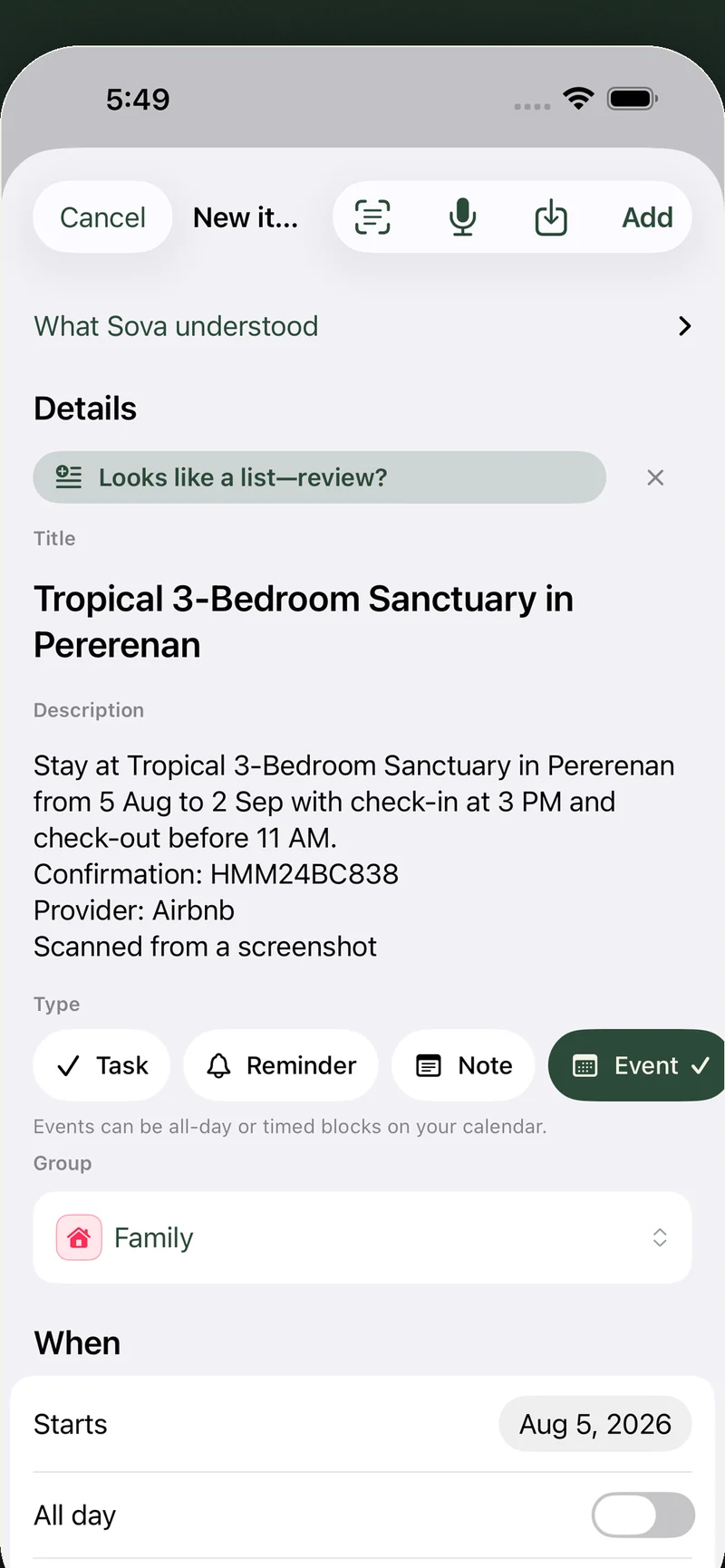
No calendar link for that booking? Screenshot it. Sova reads the confirmation and drafts the event for you — title, dates, times, place, confirmation code — and you review everything before it lands in your calendar.
How it works
- Take the screenshot. In the confirmation email or booking page, capture the block with the name and the dates — don't crop them away.
- Open it in Sova. In Create, tap Scan a screenshot — or open the app in Bring into Sova and choose Scan. Pick from the photo library, or take a photo of another screen (your laptop, a kiosk).
- Review and save. Sova drafts the event with everything it found. If the screenshot holds several plans, you get one list to review instead — each plan ticked and placed in a list. You check it, adjust anything, then add — nothing is ever added silently.
What it reads
Booking and hotel confirmations (Airbnb, Booking.com and the rest), flight and train e-tickets, meeting invites, restaurant reservations, event pages — one screenshot or up to four parts of the same document. Sova reads what’s on the image; if it isn’t a booking or event, Sova says so instead of guessing.
Paste text too
The school’s Friday email, a staff rota, a coach’s message: copy the text, open Bring into Sova (or share the text to Sova) and tap Find dates and to-dos. Sova finds up to 12 plans — events with their dates and times, to-dos with a due day — each with a suggested list. Past or canceled plans are left out, and nothing is invented that the text doesn’t say.
Private by design
Your screenshot or pasted text is sent securely to be read and is never stored — not on your phone beyond the plans you add, not on our servers. No ads, no cross-app tracking, nothing to sell.
Fair use
Scan is a Sova Pro feature ($5.99/month or $47/year) with 20 scans per day, screenshots and pasted text together, and the day left is always visible in the app. Free keeps everything else: notes, Today, calendars, widgets, and two shared lists.
Sova is an everyday planner for iPhone — notes, tasks and every calendar you already use, in separate groups, with a home-screen widget. What Sova is → · Free vs Pro → · Scan in the full guide →
Get Sova free on the App Store →